

Serial Monitor Program#
Overview#
This guide goes over the basics of how to get the standalone data acquisition program up and running a Raspberry Pi without a web interface. Be sure to read these beforehand:
Instructions#
On GitHub, you will find a repository titled
PR-Data-Aq. Under this repository you want to download the latest release ofSerialMonitor.pyfrom thestandalonebranch.Using FileZilla or any other file transfer means, copy
SerialMonitor.pyfrom your computer into the Pi’s home directory:
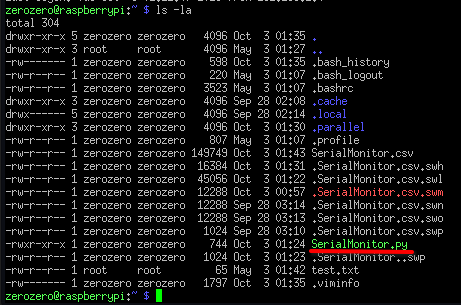
Run the program using the following command:
python ./SerialMonitor.py
The program will begin running and will ask you for the name of the file you want to output to.
Do not include an extension,
.csvwill be added for you.
The data acquisition will commence. Once you are finished with your tests, hit
ENTERon your keyboard to immediately terminate the program.The
.csvfile containing your data will be outputted into your home directory.You can download this
.csvto your computer using FileZilla.