

Pairing and Connecting Controllers#
Overview#
This document details the procedure required to pair or connect a PS5 controller to the robot, assuming usage of the primary codebase repository (
ESP32PRCodebase).
Prerequisites#
A robot with working code uploaded (from a branch of
ESP32PRCodebase, typicallyproduction)An ESP battery or other source of power (connected laptop)
Exercise caution if operating a robot with a connected device.
A robot battery (24V Kobalt drill battery)
Technically this is optional, but you will need it if you want your control inputs to have any effect.
A charged and functional PS5 controller
Procedure#
The robot’s pairing code is designed to mimic the PS5 controller’s pairing light sequences.
The PS5 Controller#
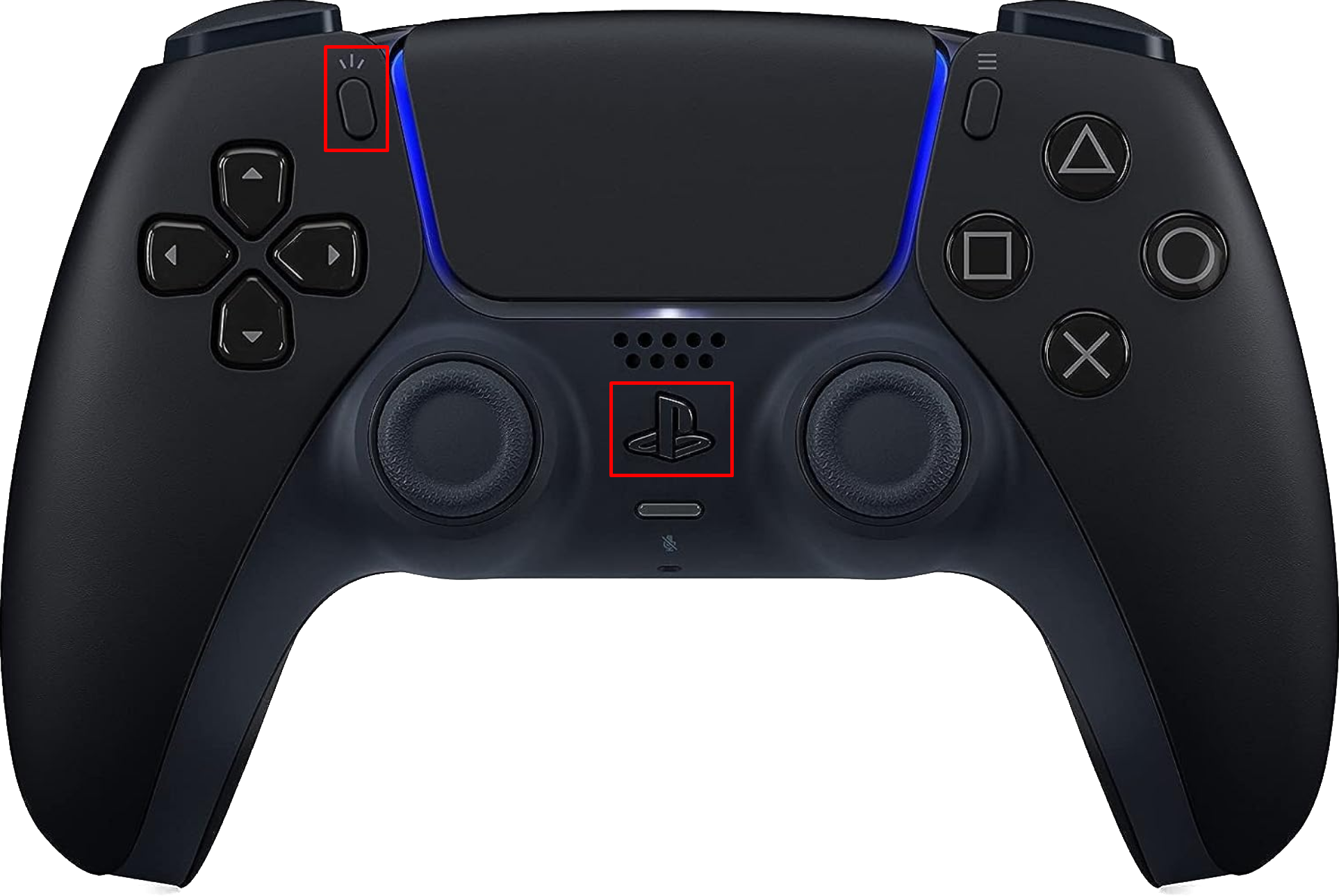
To re-pair to the last device that was successfully connected to, simply press the PS button.
To initiate pairing mode (i.e., connect to a new device), hold the PS button and “Share” button simultaneously for about 3 seconds (See below).
The Robot#
Automatic Mode#
For the typical (current) “automatic” or “sequential” setup, at power-on, the robot will look for the last controller it successfully paired to.
During this time, the blue LED will flash on and off with a 50% duty cycle, matching how the PS5 controller acts when attempting to pair to the last successful device.
If that controller is not found after 15 seconds, the robot will begin searching for new devices to pair to.
During this time, the blue LED will flash with a triple-burst pattern, similar to the PS5 controller’s behavior in pairing mode.
Pin-Pairing Mode#
If pin-pairing mode is enabled, the robot will perform one of two actions depending on the logic level of the pairing pin upon startup: